
Share-safe reports
Counts, rates and statistics, with ids and values withheld or digested with your own key. Typed notes are left out by default, because they can quote data values. Column, dataset and reviewer names stay.
For governance and compliance
Datainspec keeps who decided what, when and why, for every version of a dataset and every finding on it. On your machines, exportable when someone asks.
Sound familiar?
Who approved this version of the data, and when?
Why was this file let through last month?
Can we show the auditor what we checked, without sending them the data?
What it records
Before a version becomes the reference, a health check looks at the version itself: duplicate keys, empty or constant columns, numbers stored as text, placeholder codes. A critical one has to be acknowledged.
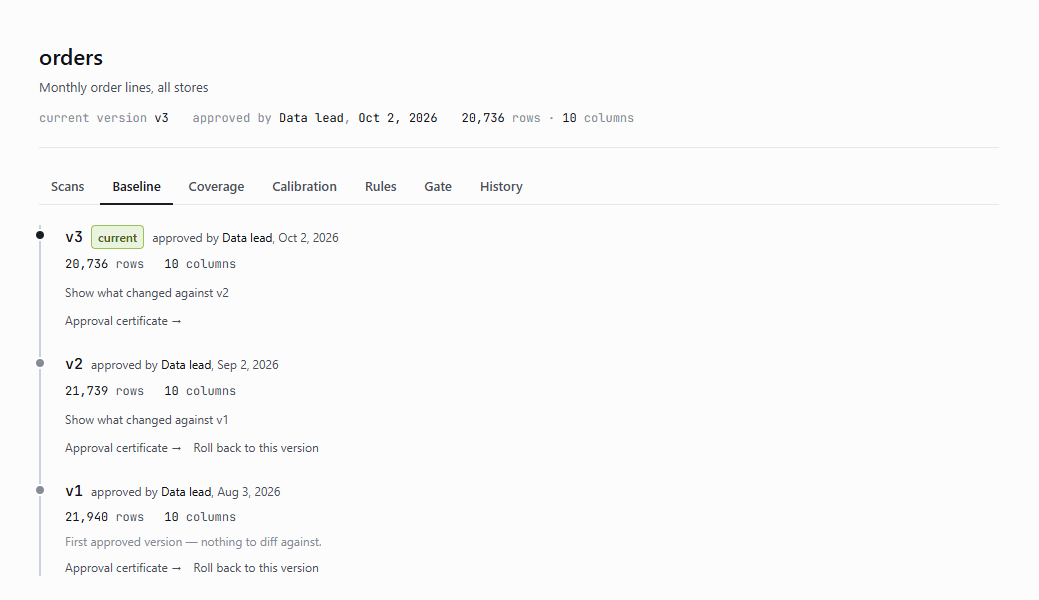
Real problem, expected change, noise or snooze. The person and the reason are kept, and shown again when the same finding comes back.
See triage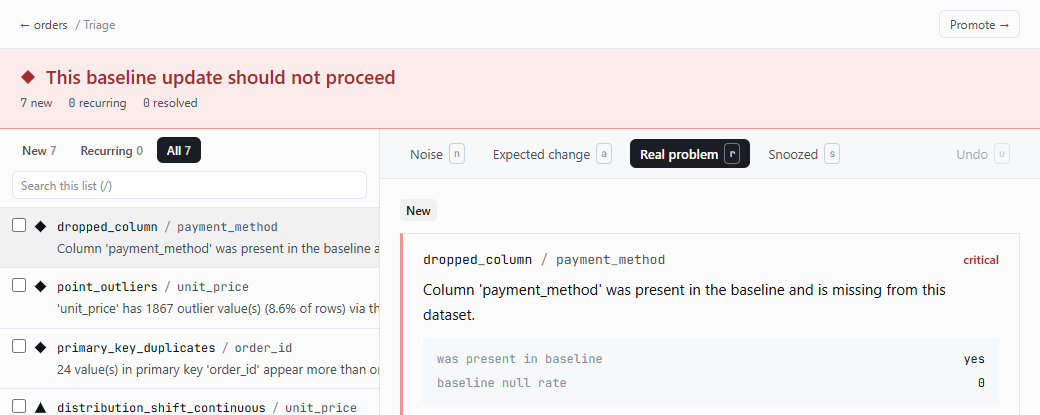
A block with a reason stays until someone clears it, with a reason. Both sit in the gate's history, next to the scans that caused them.
See the gate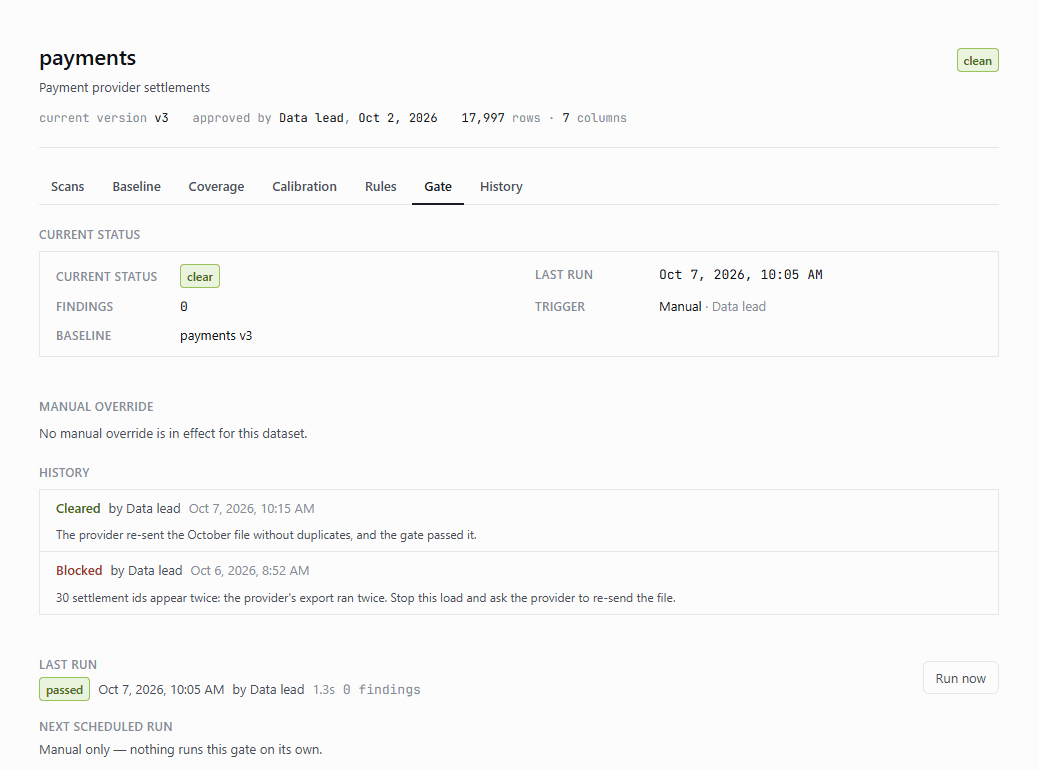
Approvals, blocks, rollbacks, role corrections and threshold overrides: who, when and why, for every dataset. Filter it, and export it as CSV.
See the audit step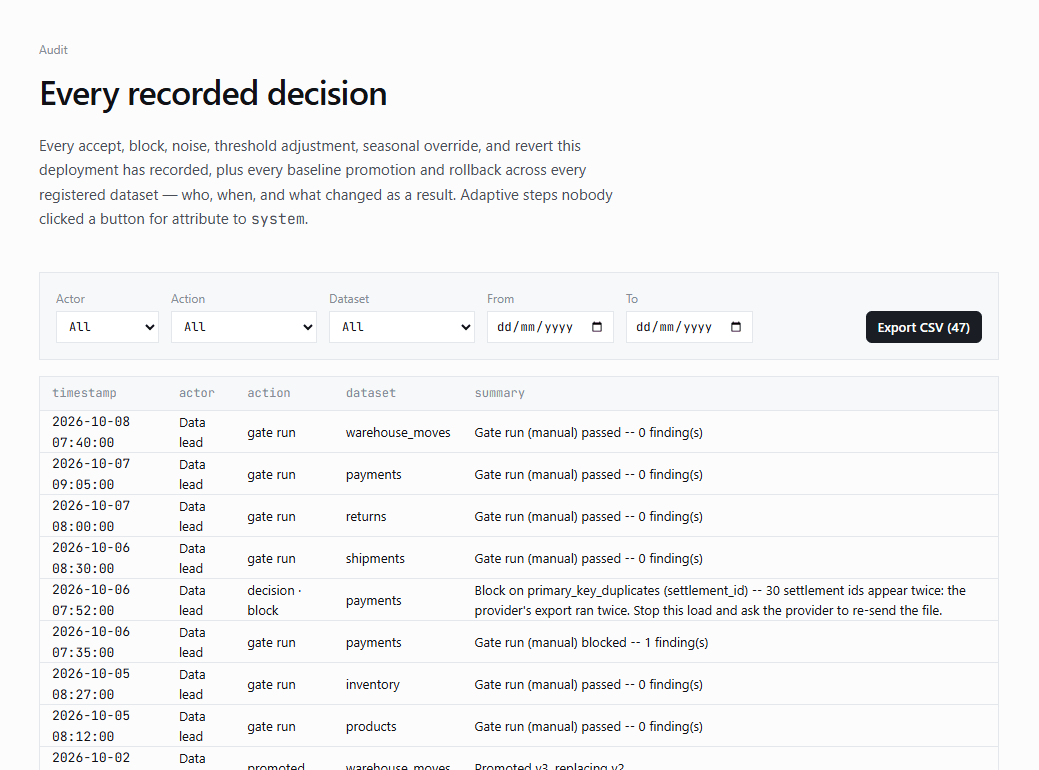
How it fits your controls
The difference
Sharing and separation
Counts, rates and statistics, with ids and values withheld or digested with your own key. Typed notes are left out by default, because they can quote data values. Column, dataset and reviewer names stay.
A signed bundle carries a dataset's approved versions and decisions to an isolated system. The import trusts only the key you give it, and a dry run shows what it would change first.
SecurityIt runs where the data is and sends nothing to us: no data, no profile, no finding, no telemetry. It only reads your sources.
SecurityQuestions
No. A rollback adds a new version that copies an earlier one; every version stays in the timeline, with who approved it and when.
Yes. Approvals, blocks, clears, decisions on findings, threshold overrides and role corrections each keep the person, the time and the reason.
Counts, rates and test statistics, with ids and values withheld or replaced by digests. Column, dataset and reviewer names are kept; notes people typed are left out unless you choose to keep them.
Yes, as a signed bundle. The importing side verifies the signature with the public key it was given, can preview the import, and refuses a conflicting history instead of merging it silently.
We run it on your machines for a few weeks, then go through what it caught and what it recorded.